> ## Documentation Index
> Fetch the complete documentation index at: https://s2.dev/docs/llms.txt
> Use this file to discover all available pages before exploring further.
# Access Tokens
> Access tokens let callers use S2 with only the permissions and lifetime they need.
Access tokens are a first-class resource in S2. Like basins and streams, there is no limit on how many you may issue. Each token can be **scoped** by resource name or prefix and by the operations it may perform.
Access tokens are **revocable** and support an **optional expiry**. Permanent tokens work well for services; time-limited ones suit ephemeral usage like end-user sessions.
You can manage access tokens from the dashboard or through the API:
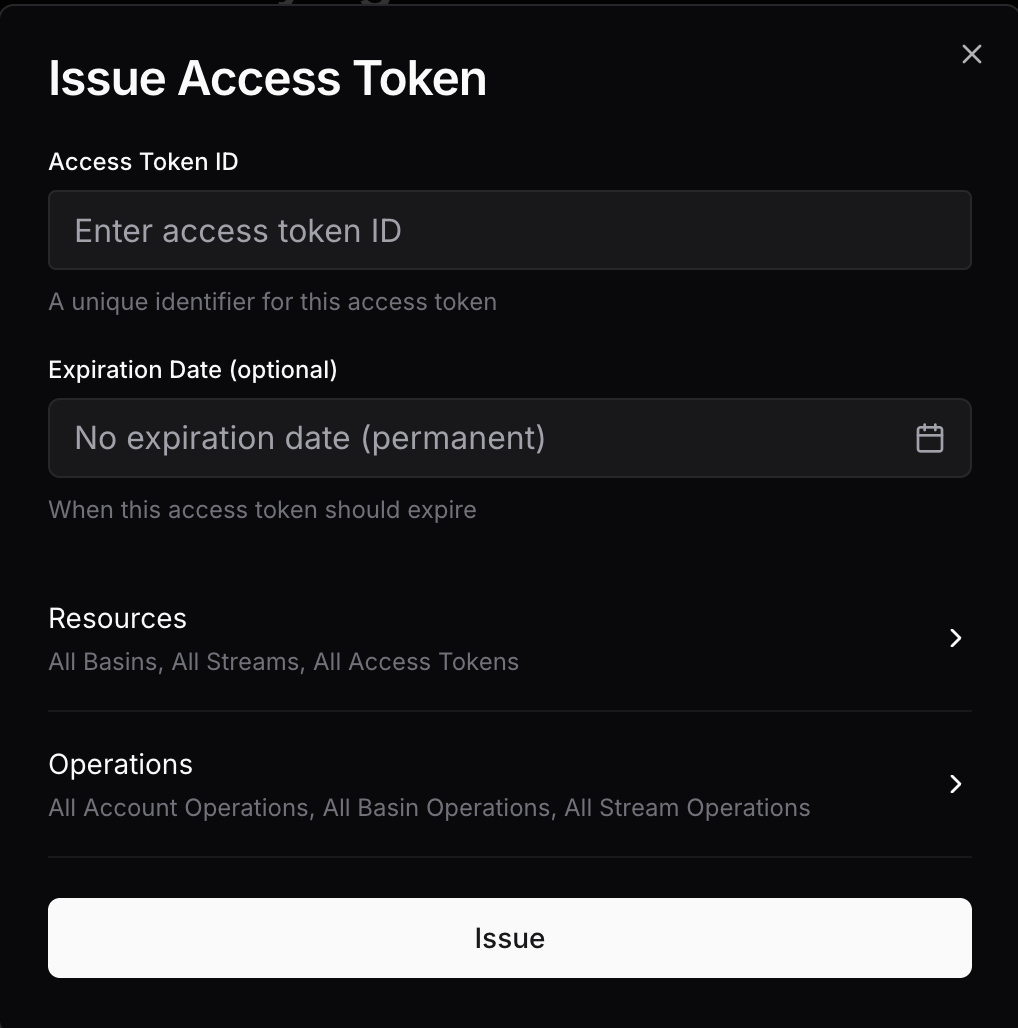 API requests require an access token, so use the dashboard to issue the first token for an account.
[`GET /access-tokens`](/docs/api/access-tokens/list)
API requests require an access token, so use the dashboard to issue the first token for an account.
[`GET /access-tokens`](/docs/api/access-tokens/list)
[`POST /access-tokens`](/docs/api/access-tokens/issue)
[`DELETE /access-tokens/{id}`](/docs/api/access-tokens/revoke)
## Properties
### Identifier
Access token IDs must be unique to the account and between 1 and 96 bytes in length.
List requests allow prefix filtering, which is handy for namespacing with a delimiter like `/`. For example, you can name them as `user/{user}` and `service/{service}` to easily filter for access tokens for users vs services.
### Expiration
An optional RFC 3339 timestamp at which the access token becomes invalid.
When one access token issues another, the issuing token's expiry is both the default and the latest possible expiry for the new token.
Dashboard access does not have an expiry, so it can issue permanent access tokens. A token with a limited expiry can issue only tokens bounded by its own expiry.
### Scope
#### Resources
Access to the following resources can be scoped:
* Basins
* Streams
* Access tokens
To specify the set of resources for each of these, you can choose either of:
**Grant access to all resources with a common prefix:**
```json theme={null}
{ "prefix": "logs/" }
```
Empty prefix matches all resources (allow all).
**Grant access to one specific resource:**
```json theme={null}
{ "exact": "my-stream" }
```
Empty exact match will not match any resources (deny all).
When configuring access to streams with a prefix, you can also enable *auto-prefixing*.
This acts as a transparent logical namespace within a basin:
* Stream name arguments provided in requests will be automatically prefixed.
* The prefix will be stripped from a response containing a stream name, such as when listing streams.
For example, with `{ "prefix": "user1/" }` and auto-prefixing enabled, a request for `logs` operates on `user1/logs` in S2. Responses expose that stream as `logs`.
Auto-prefixing is only valid with a prefix stream matcher.
Omitted fields use the following least-permissive defaults:
| Field | Default |
| --------------------- | ----------------------- |
| `basins` | No access |
| `streams` | No access |
| `access_tokens` | No access |
| `op_groups` | All permissions `false` |
| `ops` | Empty |
| `auto_prefix_streams` | `false` |
#### Operations
There are two complementary ways to authorize operations:
Operation groups provide a high-level way to grant read/write access.
```json theme={null}
{
"op_groups": {
"account": { "read": false, "write": false },
"basin": { "read": true, "write": false },
"stream": { "read": true, "write": false }
}
}
```
Group-level permissions will also apply to any new operations added to the group.
For more precise control, explicitly specify the allowed operations:
```json theme={null}
{
"ops": [
"read",
"check-tail"
]
}
```
Both groups and individual operations may be specified together — the effective permissions are a union.
An issued token must have at least one effective operation permission.
## Narrowing
When you use an access token to issue another token, the requested scope must be
equal to or narrower than the issuing token's scope. S2 rejects a request with
`permission_denied` if it would expand resource access or operation permissions;
it does not silently reduce the requested scope.
The request defines the new token's complete scope. Scope fields are not
inherited, and omitted fields use the least-permissive defaults above.
[Expiration](#expiration) behaves differently: the new token inherits the
issuing token's expiration by default and can never outlive it.
For resource matchers, this means:
| Issuing token matcher | New token may use | New token may not use |
| ------------------------ | ------------------------------------------------------------------------------------------ | ---------------------------------------------------------------- |
| `{ "prefix": "foo/" }` | `{ "prefix": "foo/" }`, `{ "prefix": "foo/bar/" }`, `{ "exact": "foo/bar" }`, or no access | `{ "prefix": "" }`, `{ "prefix": "bar/" }`, `{ "exact": "bar" }` |
| `{ "exact": "foo/bar" }` | `{ "exact": "foo/bar" }` or no access | `{ "prefix": "foo/" }`, `{ "exact": "foo/baz" }` |
| No access | No access | Any resource access |
These examples use stream names, but the same matcher rules apply to basin names
and access token IDs. The new token's ID must also match the issuing token's
`access_tokens` matcher, independently of the new token's own `access_tokens`
matcher.
Permissions are narrowed across both `op_groups` and `ops`. An operation group
on the issuing token can authorize individual operations in that group, but
individual operations cannot authorize a group because groups automatically
include future operations.
`auto_prefix_streams` also defaults to `false`; it is not inherited. Matchers in
the issuance request always use names as stored in S2, even when the issuing
token uses auto-prefixing. For example, if the issuing token has
`{ "prefix": "foo/" }`, request `{ "prefix": "foo/bar/" }` for the new token,
not `{ "prefix": "bar/" }`. Enable auto-prefixing on the new token separately if
its callers should use names relative to `foo/bar/`.